









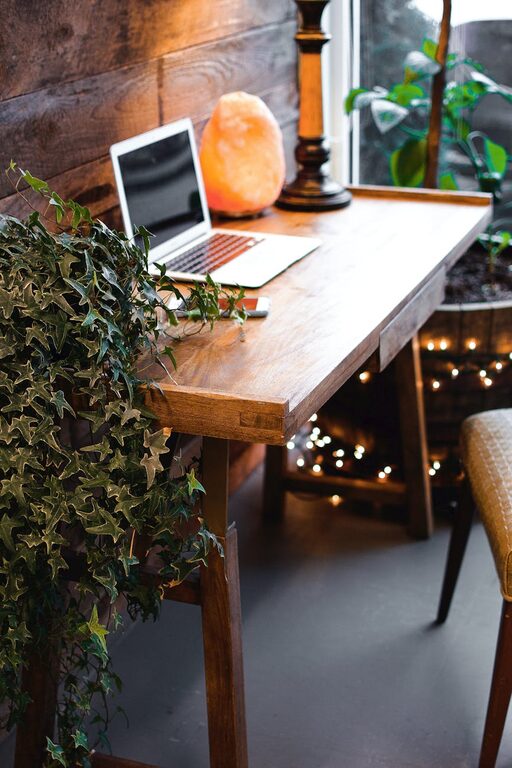
Creating a cozy and inviting home workspace can make a significant difference in your daily work routine. Whether you work remotely, freelance, or just need a dedicated spot for personal projects, having a comfortable and well-organized environment helps you focus and feel motivated. In this post, we’ll explore practical tips and ideas to turn any room or corner into a welcoming, productive workspace.
Why a Cozy Workspace Matters
Your workspace is more than just a place to work; it’s where your creativity and productivity flourish. When you feel comfortable and at ease, you’re likely to spend more time focused on your tasks, experience less stress, and enjoy better work-life balance. A welcoming home office can also reduce physical strain and mental fatigue.
Choose the Right Location
Find a Quiet Spot
Look for a space in your home that’s away from high-traffic areas. A quiet corner in a bedroom, an unused dining nook, or a spare room can be perfect. Minimizing distractions helps you concentrate better.
Maximize Natural Light
Try to set up your workspace near a window. Natural light not only brightens the area but also improves mood and energy levels. If natural light is limited, invest in good-quality artificial lighting.
Select Comfortable Furniture
Invest in a Supportive Chair
A comfortable chair with good lumbar support is essential for long hours of work. Ergonomic chairs help prevent back and neck pain and keep you comfortable.
Choose a Suitable Desk
Pick a desk size and style that fits your space and needs. Whether it’s a traditional desk or a compact table, make sure there’s enough surface area for your computer, documents, and any other supplies you use regularly.
Personalize Your Workspace
Add Soft Textiles
Incorporate cozy elements like a plush rug, soft cushions, or an inviting throw blanket. These touches make your workspace feel warm and less sterile.
Use Calming Colors
Choose paint or decor in soothing hues like soft blues, greens, or neutrals. These colors can help reduce stress and create a serene atmosphere.
Display Inspiring Items
Include personal items that motivate you, such as framed photos, quotes, or artwork. Just be mindful not to clutter your space.
Keep It Organized
Use Storage Solutions
Invest in shelves, drawers, or storage bins to keep your workspace tidy. Organizing paperwork and supplies prevents distractions and saves time.
Declutter Regularly
A clean desk fosters a clear mind. Take a few minutes each day to put things back in place and get rid of unnecessary items.
Optimize Lighting
Layer Your Lighting
Combine ambient lighting (overhead lights) with task lighting (desk lamps) to reduce eye strain and improve focus.
Choose Adjustable Lamps
An adjustable desk lamp allows you to direct light exactly where you need it, enhancing visibility and comfort.
Incorporate Greenery
Adding plants to your workspace can enhance air quality and provide a soothing natural element. Choose low-maintenance plants like succulents or pothos for easy care.
Enhance Tech Setup
Manage Cables
Use cable organizers or clips to keep cords neat and out of sight. A tidy desk area helps maintain focus.
Invest in Quality Equipment
A reliable computer, keyboard, and mouse designed for comfort can improve your efficiency and reduce strain.
Establish Boundaries
Signal Worktime
Create a ritual or visual cue that indicates work hours, such as closing a door or turning on a specific lamp. This helps separate work from personal time, especially in shared spaces.
Take Breaks
Design your workspace to encourage regular movement. Keep a water bottle or healthy snacks nearby, and consider a standing desk option for variety.
Final Thoughts
Designing a cozy and inviting home workspace is about balance—combining comfort, functionality, and personal style. By selecting the right location, choosing ergonomic furniture, adding personal touches, and maintaining organization, you can create a space that supports productivity and well-being. With these tips, your home office will be a place where you enjoy spending time and doing your best work.